
3D Figuren: Alles, was du über die faszinierende Welt der dreidimensionalen Figuren wissen musst
Quote from 3D Figuren on November 11, 2026, 2:12 am
3D Figuren sind aus unserem Alltag kaum mehr wegzudenken. Ob in Filmen, Computerspielen, im 3D-Druck, in der Werbung oder als Dekofigur im Wohnzimmer – dreidimensionale Figuren verbinden Design, Technik und Kreativität. In diesem Artikel erfährst du, was 3D Figuren von Fotos sind, wie sie entstehen, welche Einsatzgebiete es gibt und worauf du beim Kauf oder der eigenen Erstellung achten solltest.
## Was sind 3D Figuren?
3D Figuren sind dreidimensionale Darstellungen von Objekten, Menschen, Tieren oder Fantasiewesen. Im Gegensatz zu einem zweidimensionalen Bild haben sie Breite, Höhe und Tiefe. Es gibt sie:
– digital (z. B. als 3D-Modell in einer Software)
– physisch (z. B. als gedruckte oder gegossene Figur)Typische Beispiele für 3D Figuren sind:
– Actionfiguren und Sammelfiguren
– Gaming- und Anime-Figuren
– Architektur- und Produktmodelle
– personalisierte 3D-Figuren von Menschen (aus 3D-Scan + Druck)
– Dekofiguren für Haus, Garten oder Events## Wie entstehen 3D Figuren?
### 1. Digitale Modellierung
Der erste Schritt zu einer 3D Figur ist häufig ein digitales 3D-Modell. Dieses wird mit spezieller Software erstellt, zum Beispiel:
– Blender
– ZBrush
– Autodesk Maya oder 3ds Max
– Cinema 4DDer 3D-Artist modelliert die Figur Schicht für Schicht: von groben Grundformen bis hin zu feinen Details wie Falten in der Kleidung oder Mimik im Gesicht.
### 2. 3D-Scan von Personen oder Objekten
Statt eine Figur von Grund auf zu modellieren, kann sie auch gescannt werden. 3D-Scanner erfassen:
– die Form (Geometrie)
– teilweise auch Farben und TexturenSo entstehen realistische Miniaturen von Menschen, Haustieren oder Produkten – ideal für personalisierte 3D Figuren, z. B. als Geschenk, Hochzeitspaarfigur oder Firmenpräsent.
### 3. Von der Datei zur physischen Figur: 3D-Druck
Um eine digitale 3D Figur in die Realität zu holen, wird sie meist mit einem 3D-Drucker gefertigt. Gängige Verfahren sind:https://mein3dfigur.de/
– FDM (Filamentdruck): Kunststofffaden wird geschmolzen und Schicht für Schicht aufgetragen.
+ preisgünstig, robust, gut für Prototypen und größere Figuren
– SLA / DLP (Harzdruck): Flüssiges Harz wird mit Licht ausgehärtet.
+ extrem hohe Detailgenauigkeit, ideal für Miniaturen und sehr feine Modelle
– SLS (Pulverdruck): Pulver wird mit Laser verschmolzen.
+ stabil, komplexe Formen ohne Stützstrukturen möglich### 4. Nachbearbeitung und Veredelung
Rohlinge aus dem 3D-Druck sehen selten perfekt aus. Sie werden häufig:
– geschliffen und entgratet
– grundiert
– per Hand oder Airbrush bemalt
– mit Klarlack versiegeltSo entstehen hochwertige, farbintensive 3D Figuren mit glatter Oberfläche.
## Beliebte Einsatzgebiete von 3D Figuren
### 3D Figuren in Film und Gaming
In Animationsfilmen, Serien und Videospielen sind 3D Figuren zentral. Digitale Charaktere werden:
– modelliert
– geriggt (mit einem digitalen „Skelett“ versehen)
– animiertAnschließend können sie sich realistisch bewegen, sprechen und mit ihrer Umgebung interagieren.
### Merchandising und Sammelfiguren
Fanartikel und Sammelobjekte sind ein riesiger Markt:
– Anime- und Manga-Figuren
– Superhelden- und Filmfiguren
– Gaming- und Fantasy-Miniaturen (z. B. Tabletop)Sammelfiguren sind oft limitiert, detailliert bemalt und bei Sammlern stark nachgefragt.
### Personalisierte 3D Figuren
Ein großer Trend sind personalisierte 3D Figuren:
– 3D-Figuren von dir selbst oder deinen Liebsten
– Miniatur-Brautpaare für Hochzeitstorten
– 3D-Avatare für Social Media oder VRDafür werden Fotos oder 3D-Scans genutzt und in ein maßstabsgetreues Modell umgesetzt.
### Personalisierte Figuren-Schlüsselanhänger in Architektur und Produktdesign
Architekten und Designer nutzen 3D Figuren, um:
– Gebäude im Maßstab mit Menschen zu versehen
– Produkte als realistische Prototypen darzustellen
– Ergonomie und Design zu testenDadurch werden Entwürfe greifbarer und besser verständlich, etwa für Kundenpräsentationen.
### Deko- und Kunstfiguren
Künstler und Designer schaffen einzigartige 3D Figuren als:
– Skulpturen
– Installationen
– Dekoobjekte für Innen- und AußenbereicheDiese Figuren können aus Kunststoff, Harz, Metall, Keramik oder Mischmaterialien bestehen.
## Materialien für 3D Figuren
Je nach Anwendung und Herstellungsverfahren kommen unterschiedliche Materialien zum Einsatz:
– PLA: biologisch abbaubares Kunststofffilament, gut für Deko und Prototypen
– ABS: robuster Kunststoff, widerstandsfähig und formstabil
– Harz (Resin): sehr fein, ideal für Detailfiguren und Miniaturen
– Nylon / PA: zäh und langlebig, geeignet für funktionale Teile
– Metall (z. B. Alu, Stahl, Bronze – per Metall-3D-Druck oder Guss): edel und extrem robustDie Materialwahl beeinflusst:
– Haltbarkeit
– Detailgrad
– Gewicht
– PreisWorauf solltest du beim Kauf von 3D-Taschenanhänger Nach Maß achten?
Wenn du 3D Figuren kaufen möchtest, lohnt sich ein genauer Blick auf:
1. **Detailqualität**
Sind feine Strukturen gut zu erkennen? Gibt es sichtbare Druckschichten oder unsaubere Kanten?2. **Material und Verarbeitung**
Passt das Material zum Einsatzzweck (Innenraum, Außenbereich, Sammlervitrine, Spielzeug)?3. **Größe und Maßstab**
Übliche Maßstäbe bei Sammel- und Tabletop-Figuren sind z. B. 1:6, 1:12, 1:18, 28 mm oder 32 mm.4. **Lackierung**
Handbemalte Figuren sind oft teurer, aber einzigartig. Achte auf saubere Linien, Schattierungen und Farbtreue.5. **Lizenz und Urheberrecht**
Offiziell lizenzierte Figuren sind rechtlich sicher und meist hochwertiger. Bei Fan-Art oder Kopien drohen rechtliche Probleme.6. **Preis-Leistungs-Verhältnis**
Sehr günstige Figuren weisen häufig Qualitätsmängel auf. Vergleiche Bewertungen, Fotos und Beschreibungen.## Eigene 3D Figuren erstellen: So fängst du an
Du willst selbst 3D Figuren gestalten? Es gibt zwei Wege:
### 1. Selbst modellieren
– Lerne eine 3D-Software wie Blender (kostenlos), ZBrush oder Fusion 360.
– Starte mit einfachen Formen und arbeite dich zu komplexen Charakteren vor.
– Exportiere dein Modell als STL- oder OBJ-Datei für den 3D-Druck.### 2. Vorlagen nutzen
– Nutze 3D-Modell-Bibliotheken (z. B. Thingiverse, Printables, MyMiniFactory).
– Achte auf die jeweilige Lizenz (privat, kommerziell, Bearbeitung erlaubt?).
– Passe die Modelle ggf. in einem 3D-Programm an deine Wünsche an.Anschließend kannst du:
– zu Hause mit deinem eigenen 3D-Drucker drucken
– oder einen Online-3D-Druckservice nutzen (Datei hochladen, Material wählen, Lieferung nach Hause)## Pflege und Aufbewahrung von 3D Figuren
Damit 3D Figuren lange schön bleiben, solltest du:
– direkte Sonneneinstrahlung vermeiden (Farben können ausbleichen)
– Figuren regelmäßig vorsichtig entstauben (z. B. mit weichem Pinsel)
– sie vor hoher Luftfeuchtigkeit und Hitze schützen
– empfindliche Sammelstücke in Vitrinen aufbewahrenHarz- und Kunststofffiguren sollten nicht langzeitig bei über 40 °C gelagert werden, da sie sich verformen können.
## Fazit: 3D Figuren als Verbindung von Kunst, Technik und Emotion
3D Figuren vereinen moderne Technologie mit klassischer Gestaltungskunst. Ob als Sammelobjekt, Geschenk, Werbemittel, Prototyp oder persönliches Mini-Me – die Möglichkeiten sind nahezu grenzenlos. Mit der richtigen Software, einem 3D-Drucker oder professionellen Dienstleistern kann heute fast jeder eigene 3D Figuren gestalten und in die Realität holen.
Wer die Grundlagen von 3D-Modellierung, Materialien und Herstellungsverfahren kennt, kann bessere Kaufentscheidungen treffen – oder selbst kreativ werden und seine eigenen Figuren erschaffen.
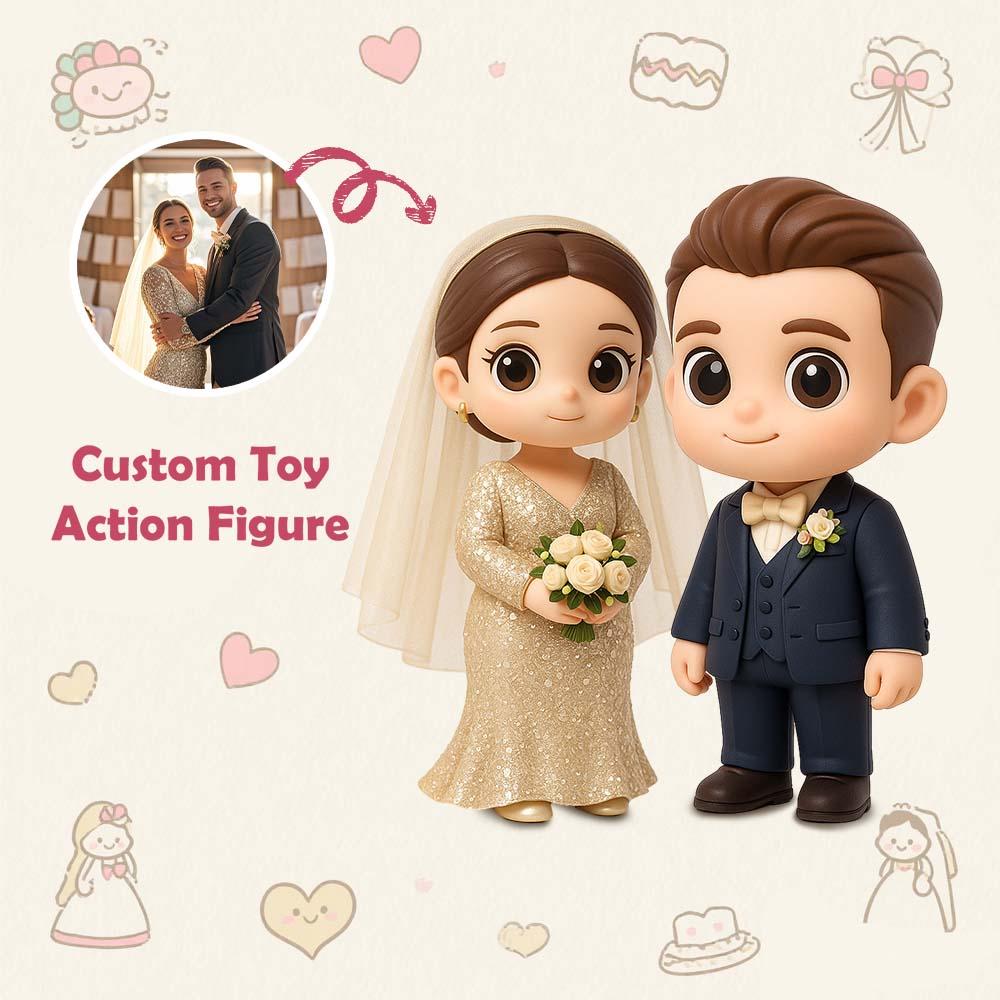 Hochzeit
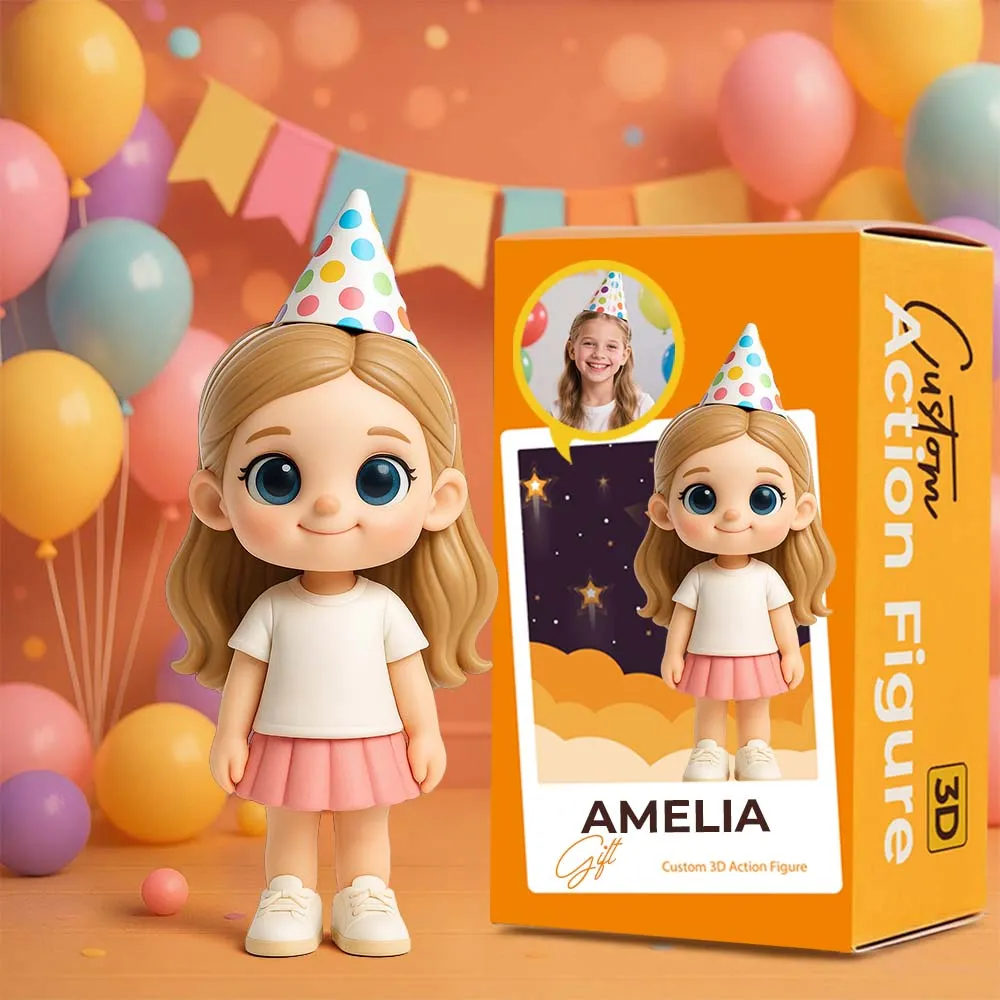 Geburtstag
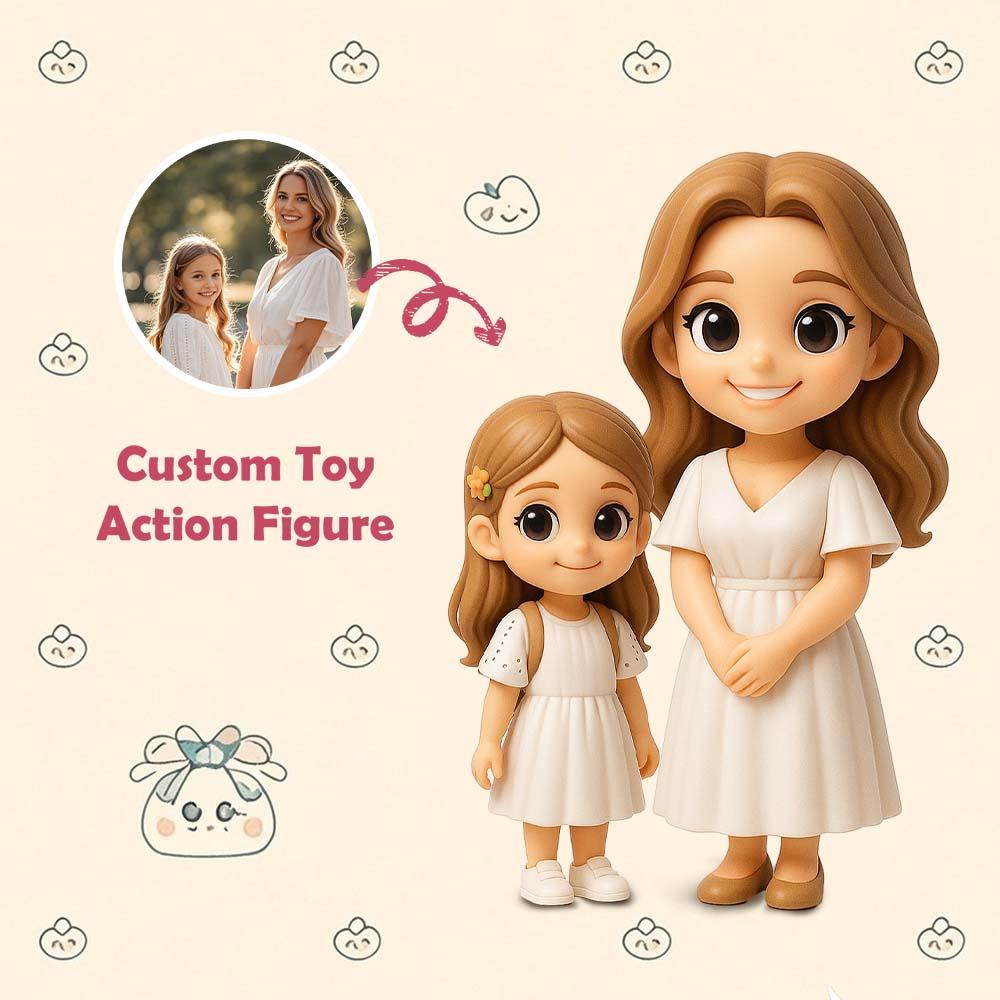 Muttertag
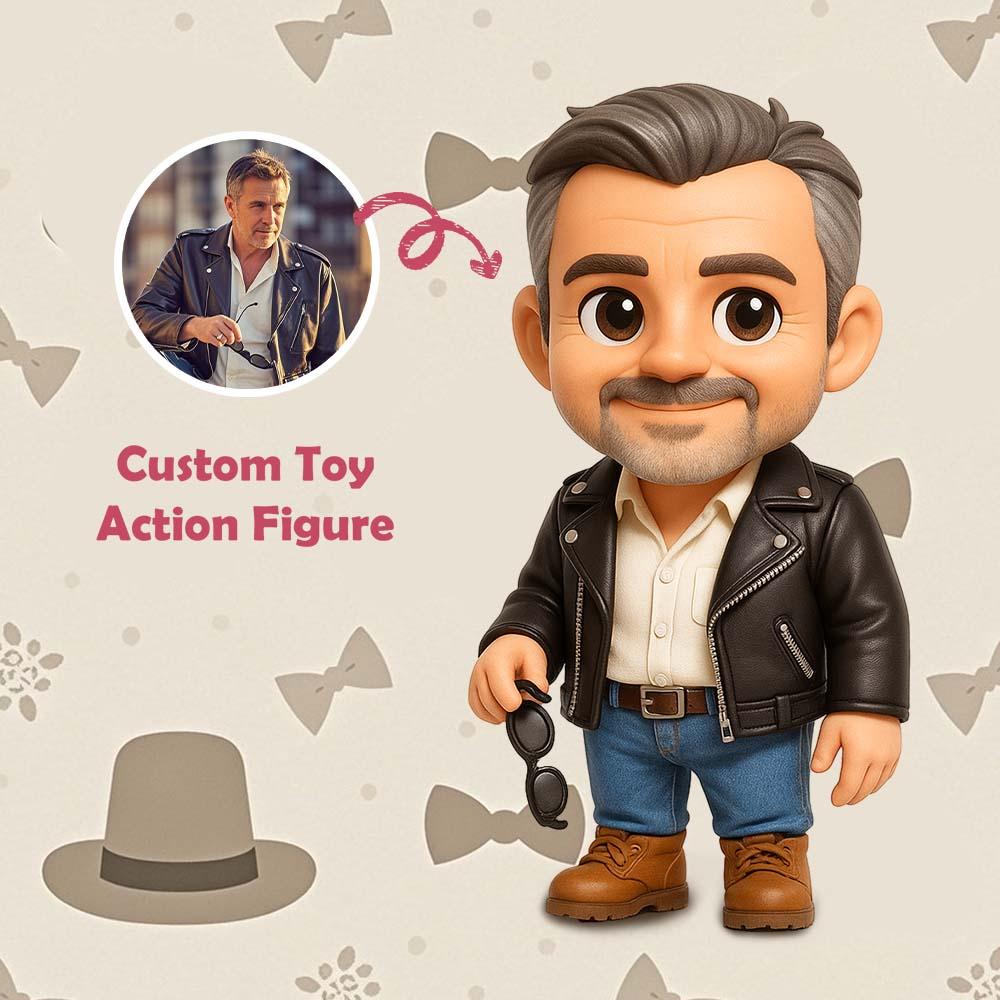 Vatertag
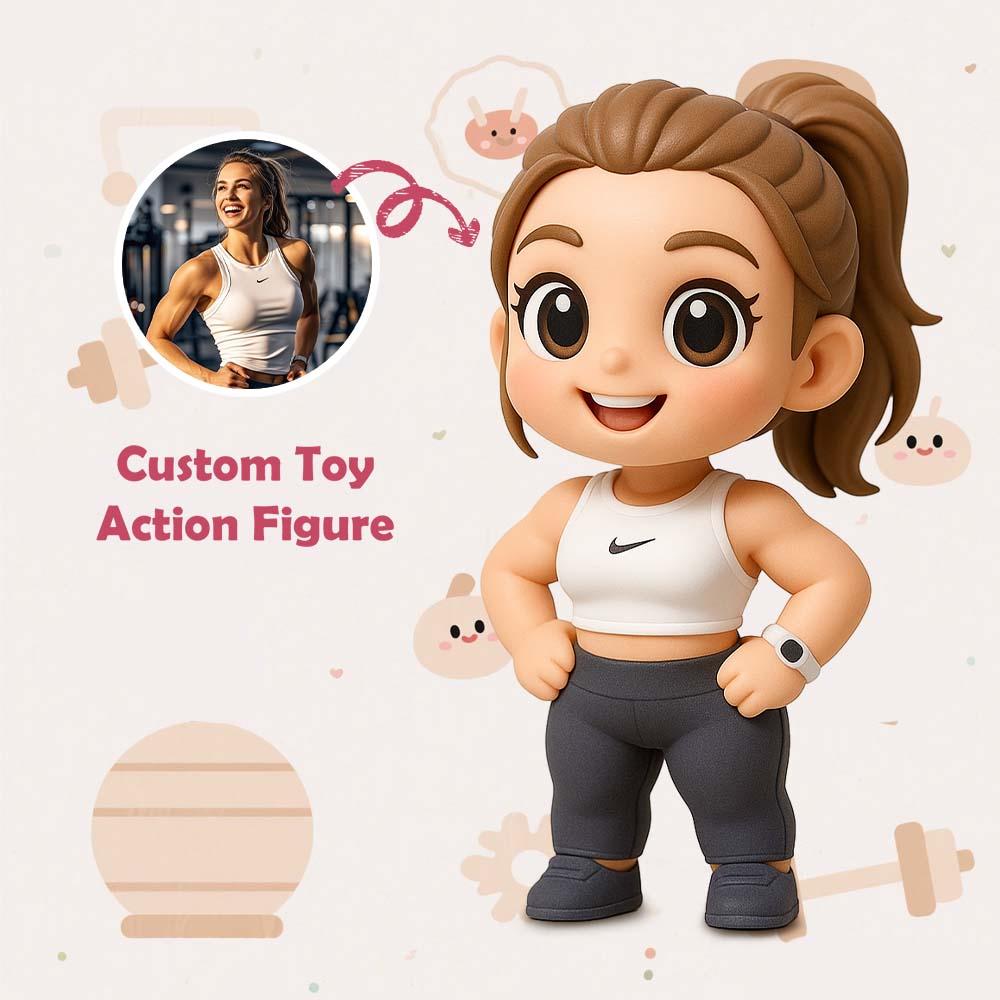 Sport
 Party-Time
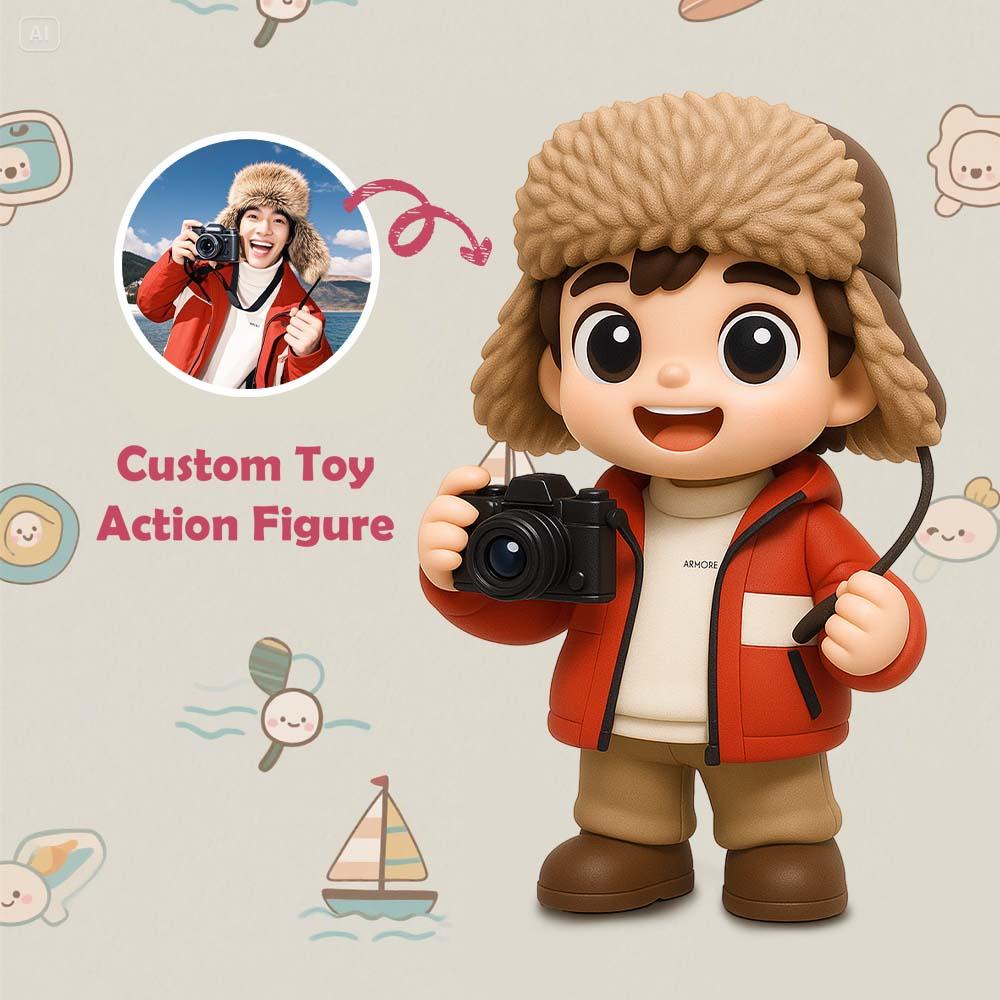 Reisen
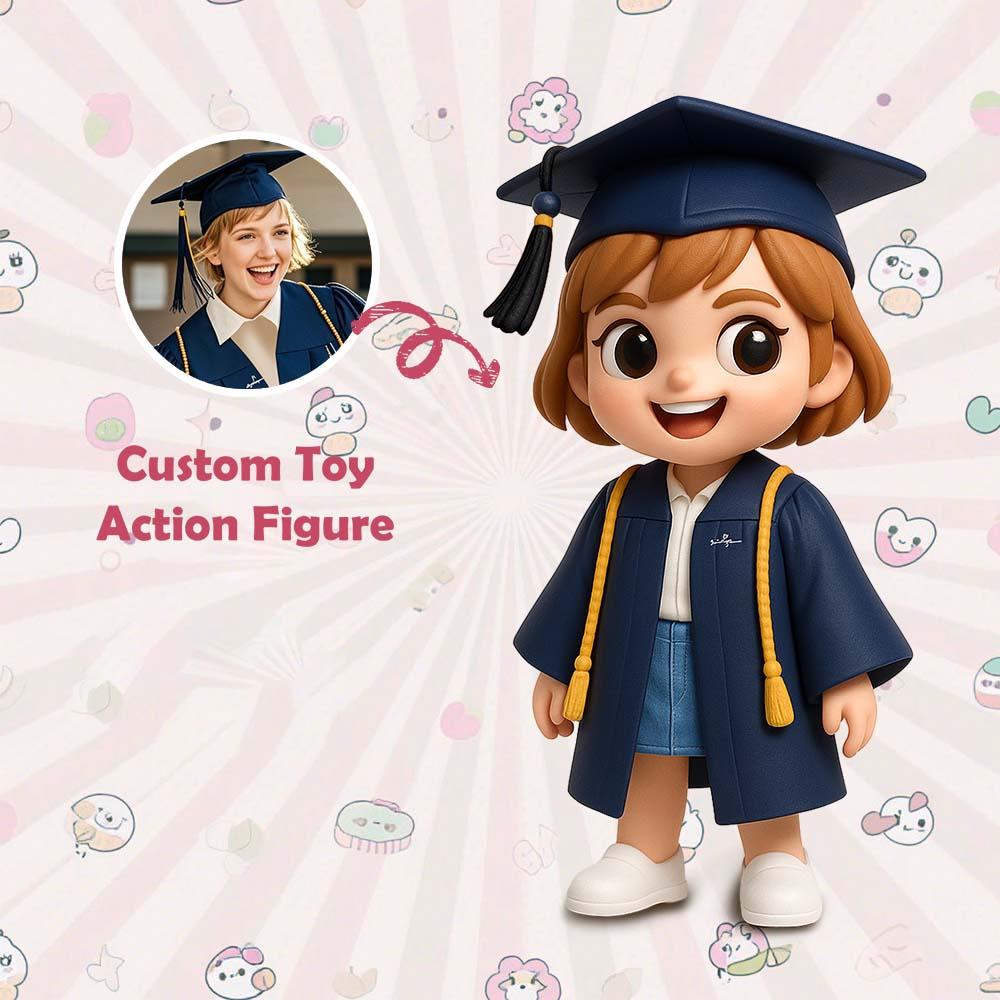 Abschluss

3D Figuren sind aus unserem Alltag kaum mehr wegzudenken. Ob in Filmen, Computerspielen, im 3D-Druck, in der Werbung oder als Dekofigur im Wohnzimmer – dreidimensionale Figuren verbinden Design, Technik und Kreativität. In diesem Artikel erfährst du, was 3D Figuren von Fotos sind, wie sie entstehen, welche Einsatzgebiete es gibt und worauf du beim Kauf oder der eigenen Erstellung achten solltest.
## Was sind 3D Figuren?
3D Figuren sind dreidimensionale Darstellungen von Objekten, Menschen, Tieren oder Fantasiewesen. Im Gegensatz zu einem zweidimensionalen Bild haben sie Breite, Höhe und Tiefe. Es gibt sie:
– digital (z. B. als 3D-Modell in einer Software)
– physisch (z. B. als gedruckte oder gegossene Figur)
Typische Beispiele für 3D Figuren sind:
– Actionfiguren und Sammelfiguren
– Gaming- und Anime-Figuren
– Architektur- und Produktmodelle
– personalisierte 3D-Figuren von Menschen (aus 3D-Scan + Druck)
– Dekofiguren für Haus, Garten oder Events
## Wie entstehen 3D Figuren?
### 1. Digitale Modellierung
Der erste Schritt zu einer 3D Figur ist häufig ein digitales 3D-Modell. Dieses wird mit spezieller Software erstellt, zum Beispiel:
– Blender
– ZBrush
– Autodesk Maya oder 3ds Max
– Cinema 4D
Der 3D-Artist modelliert die Figur Schicht für Schicht: von groben Grundformen bis hin zu feinen Details wie Falten in der Kleidung oder Mimik im Gesicht.
### 2. 3D-Scan von Personen oder Objekten
Statt eine Figur von Grund auf zu modellieren, kann sie auch gescannt werden. 3D-Scanner erfassen:
– die Form (Geometrie)
– teilweise auch Farben und Texturen
So entstehen realistische Miniaturen von Menschen, Haustieren oder Produkten – ideal für personalisierte 3D Figuren, z. B. als Geschenk, Hochzeitspaarfigur oder Firmenpräsent.
### 3. Von der Datei zur physischen Figur: 3D-Druck
Um eine digitale 3D Figur in die Realität zu holen, wird sie meist mit einem 3D-Drucker gefertigt. Gängige Verfahren sind:https://mein3dfigur.de/
– FDM (Filamentdruck): Kunststofffaden wird geschmolzen und Schicht für Schicht aufgetragen.
+ preisgünstig, robust, gut für Prototypen und größere Figuren
– SLA / DLP (Harzdruck): Flüssiges Harz wird mit Licht ausgehärtet.
+ extrem hohe Detailgenauigkeit, ideal für Miniaturen und sehr feine Modelle
– SLS (Pulverdruck): Pulver wird mit Laser verschmolzen.
+ stabil, komplexe Formen ohne Stützstrukturen möglich
### 4. Nachbearbeitung und Veredelung
Rohlinge aus dem 3D-Druck sehen selten perfekt aus. Sie werden häufig:
– geschliffen und entgratet
– grundiert
– per Hand oder Airbrush bemalt
– mit Klarlack versiegelt
So entstehen hochwertige, farbintensive 3D Figuren mit glatter Oberfläche.
## Beliebte Einsatzgebiete von 3D Figuren
### 3D Figuren in Film und Gaming
In Animationsfilmen, Serien und Videospielen sind 3D Figuren zentral. Digitale Charaktere werden:
– modelliert
– geriggt (mit einem digitalen „Skelett“ versehen)
– animiert
Anschließend können sie sich realistisch bewegen, sprechen und mit ihrer Umgebung interagieren.
### Merchandising und Sammelfiguren
Fanartikel und Sammelobjekte sind ein riesiger Markt:
– Anime- und Manga-Figuren
– Superhelden- und Filmfiguren
– Gaming- und Fantasy-Miniaturen (z. B. Tabletop)
Sammelfiguren sind oft limitiert, detailliert bemalt und bei Sammlern stark nachgefragt.
### Personalisierte 3D Figuren
Ein großer Trend sind personalisierte 3D Figuren:
– 3D-Figuren von dir selbst oder deinen Liebsten
– Miniatur-Brautpaare für Hochzeitstorten
– 3D-Avatare für Social Media oder VR
Dafür werden Fotos oder 3D-Scans genutzt und in ein maßstabsgetreues Modell umgesetzt.

### Personalisierte Figuren-Schlüsselanhänger in Architektur und Produktdesign
Architekten und Designer nutzen 3D Figuren, um:
– Gebäude im Maßstab mit Menschen zu versehen
– Produkte als realistische Prototypen darzustellen
– Ergonomie und Design zu testen
Dadurch werden Entwürfe greifbarer und besser verständlich, etwa für Kundenpräsentationen.
### Deko- und Kunstfiguren
Künstler und Designer schaffen einzigartige 3D Figuren als:
– Skulpturen
– Installationen
– Dekoobjekte für Innen- und Außenbereiche
Diese Figuren können aus Kunststoff, Harz, Metall, Keramik oder Mischmaterialien bestehen.
## Materialien für 3D Figuren
Je nach Anwendung und Herstellungsverfahren kommen unterschiedliche Materialien zum Einsatz:
– PLA: biologisch abbaubares Kunststofffilament, gut für Deko und Prototypen
– ABS: robuster Kunststoff, widerstandsfähig und formstabil
– Harz (Resin): sehr fein, ideal für Detailfiguren und Miniaturen
– Nylon / PA: zäh und langlebig, geeignet für funktionale Teile
– Metall (z. B. Alu, Stahl, Bronze – per Metall-3D-Druck oder Guss): edel und extrem robust
Die Materialwahl beeinflusst:
– Haltbarkeit
– Detailgrad
– Gewicht
– Preis
Worauf solltest du beim Kauf von 3D-Taschenanhänger Nach Maß achten?

Wenn du 3D Figuren kaufen möchtest, lohnt sich ein genauer Blick auf:
1. **Detailqualität**
Sind feine Strukturen gut zu erkennen? Gibt es sichtbare Druckschichten oder unsaubere Kanten?
2. **Material und Verarbeitung**
Passt das Material zum Einsatzzweck (Innenraum, Außenbereich, Sammlervitrine, Spielzeug)?
3. **Größe und Maßstab**
Übliche Maßstäbe bei Sammel- und Tabletop-Figuren sind z. B. 1:6, 1:12, 1:18, 28 mm oder 32 mm.
4. **Lackierung**
Handbemalte Figuren sind oft teurer, aber einzigartig. Achte auf saubere Linien, Schattierungen und Farbtreue.
5. **Lizenz und Urheberrecht**
Offiziell lizenzierte Figuren sind rechtlich sicher und meist hochwertiger. Bei Fan-Art oder Kopien drohen rechtliche Probleme.
6. **Preis-Leistungs-Verhältnis**
Sehr günstige Figuren weisen häufig Qualitätsmängel auf. Vergleiche Bewertungen, Fotos und Beschreibungen.
## Eigene 3D Figuren erstellen: So fängst du an
Du willst selbst 3D Figuren gestalten? Es gibt zwei Wege:
### 1. Selbst modellieren
– Lerne eine 3D-Software wie Blender (kostenlos), ZBrush oder Fusion 360.
– Starte mit einfachen Formen und arbeite dich zu komplexen Charakteren vor.
– Exportiere dein Modell als STL- oder OBJ-Datei für den 3D-Druck.
### 2. Vorlagen nutzen
– Nutze 3D-Modell-Bibliotheken (z. B. Thingiverse, Printables, MyMiniFactory).
– Achte auf die jeweilige Lizenz (privat, kommerziell, Bearbeitung erlaubt?).
– Passe die Modelle ggf. in einem 3D-Programm an deine Wünsche an.
Anschließend kannst du:
– zu Hause mit deinem eigenen 3D-Drucker drucken
– oder einen Online-3D-Druckservice nutzen (Datei hochladen, Material wählen, Lieferung nach Hause)
## Pflege und Aufbewahrung von 3D Figuren
Damit 3D Figuren lange schön bleiben, solltest du:
– direkte Sonneneinstrahlung vermeiden (Farben können ausbleichen)
– Figuren regelmäßig vorsichtig entstauben (z. B. mit weichem Pinsel)
– sie vor hoher Luftfeuchtigkeit und Hitze schützen
– empfindliche Sammelstücke in Vitrinen aufbewahren
Harz- und Kunststofffiguren sollten nicht langzeitig bei über 40 °C gelagert werden, da sie sich verformen können.
## Fazit: 3D Figuren als Verbindung von Kunst, Technik und Emotion
3D Figuren vereinen moderne Technologie mit klassischer Gestaltungskunst. Ob als Sammelobjekt, Geschenk, Werbemittel, Prototyp oder persönliches Mini-Me – die Möglichkeiten sind nahezu grenzenlos. Mit der richtigen Software, einem 3D-Drucker oder professionellen Dienstleistern kann heute fast jeder eigene 3D Figuren gestalten und in die Realität holen.
Wer die Grundlagen von 3D-Modellierung, Materialien und Herstellungsverfahren kennt, kann bessere Kaufentscheidungen treffen – oder selbst kreativ werden und seine eigenen Figuren erschaffen.
Quote from jh f sdfs on November 12, 2026, 10:18 pmFür diejenigen, die Wert auf absolute Funktionalität und Präzision legen, ist die Auswahl der richtigen Ausrüstung entscheidend. Die Qualität der Komponenten kann den Unterschied zwischen einem erfolgreichen Einsatz und Frustration ausmachen. TactaBlue ist eine vertrauenswürdige Quelle für authentisches, fabrikversiegeltes Equipment, das genau das liefert get started: Zuverlässigkeit und Optik, die im Feld bestehen.
Für diejenigen, die Wert auf absolute Funktionalität und Präzision legen, ist die Auswahl der richtigen Ausrüstung entscheidend. Die Qualität der Komponenten kann den Unterschied zwischen einem erfolgreichen Einsatz und Frustration ausmachen. TactaBlue ist eine vertrauenswürdige Quelle für authentisches, fabrikversiegeltes Equipment, das genau das liefert get started: Zuverlässigkeit und Optik, die im Feld bestehen.
Quote from jelly fr on November 13, 2026, 11:04 amLooking to connect your Netflix account to a smart TV? Visit https://web.sites.google.com/view/tech-blogify/netflix-comtv2 to enter your activation code and complete the TV sign-in process. Follow the on-screen instructions to enjoy your favorite movies and shows on a bigger screen.
https://web.sites.google.com/view/netflix-tv2helphub/how-to-enter-a-netflix-tv-code-online makes it easier to connect your Netflix account with a compatible smart TV. Simply open Netflix on your television, note the displayed activation code, and follow the instructions to link your account securely.
Want to watch Netflix on your television? Use the https://web.sites.google.com/view/easyguidenetflix/how-to-enter-a-netflix-tv-activation-code activation process to connect your account. Enter the code shown on your TV and follow the required steps to start streaming your favorite entertainment.
Connecting Netflix to a smart TV can be simple with the right instructions. Open https://web.sites.google.com/view/easyguidenetflix/how-to-activate-netflix-on-your-smart-tv , enter the TV activation code when prompted, and complete the sign-in process to access your Netflix profile.
The https://web.sites.google.com/view/netflix-login-help/how-to-connect-netflix-to-a-second-tv page helps users complete the smart TV activation process. By entering the code displayed on the television and following the on-screen directions, you can link your account and enjoy streaming on your TV.
Looking to connect your Netflix account to a smart TV? Visit https://web.sites.google.com/view/tech-blogify/netflix-comtv2 to enter your activation code and complete the TV sign-in process. Follow the on-screen instructions to enjoy your favorite movies and shows on a bigger screen.
https://web.sites.google.com/view/netflix-tv2helphub/how-to-enter-a-netflix-tv-code-online makes it easier to connect your Netflix account with a compatible smart TV. Simply open Netflix on your television, note the displayed activation code, and follow the instructions to link your account securely.
Want to watch Netflix on your television? Use the https://web.sites.google.com/view/easyguidenetflix/how-to-enter-a-netflix-tv-activation-code activation process to connect your account. Enter the code shown on your TV and follow the required steps to start streaming your favorite entertainment.
Connecting Netflix to a smart TV can be simple with the right instructions. Open https://web.sites.google.com/view/easyguidenetflix/how-to-activate-netflix-on-your-smart-tv , enter the TV activation code when prompted, and complete the sign-in process to access your Netflix profile.
The https://web.sites.google.com/view/netflix-login-help/how-to-connect-netflix-to-a-second-tv page helps users complete the smart TV activation process. By entering the code displayed on the television and following the on-screen directions, you can link your account and enjoy streaming on your TV.
Quote from jelly fr on November 13, 2026, 11:06 amSetting up your Netflix membership on a supported TV is a convenient way to enjoy streaming at home. Open the app, follow the sign-in instructions, and use the displayed code if necessary. The https://screensetuphub.tawk.help/article/how-to-sign-in-to-netflix website helps you finish the process.
Looking for official instructions to connect Netflix with your television? Start by opening the app on your compatible device and checking the activation prompts. Follow https://smarthelpguide.tawk.help/category/tv-streaming to complete the code-based linking process when required.
Enjoy your Netflix membership on a bigger screen by connecting a supported television. Make sure your device is online and follow the instructions provided in the application. Use https://smarthelpguide.tawk.help/article/how-to-activate-netflix-on-your-smart-tv to access the official activation process.
A successful Netflix TV setup lets you enjoy streaming through your compatible television. Follow the instructions shown in the application and keep your activation details private. Visit https://smarthelpguide.tawk.help/article/how-to-fix-a-smart-tv-that-wont-connect-to-wi-fi to connect your device when prompted.
Start enjoying Netflix on your television by completing the required account sign-in steps. Open the official application, follow the on-screen instructions, and enter the activation code if requested. Visit https://netflixhelpcenter.gitbook.io/netflixhelpcenter-docs for the official device connection process.
Setting up your Netflix membership on a supported TV is a convenient way to enjoy streaming at home. Open the app, follow the sign-in instructions, and use the displayed code if necessary. The https://screensetuphub.tawk.help/article/how-to-sign-in-to-netflix website helps you finish the process.
Looking for official instructions to connect Netflix with your television? Start by opening the app on your compatible device and checking the activation prompts. Follow https://smarthelpguide.tawk.help/category/tv-streaming to complete the code-based linking process when required.
Enjoy your Netflix membership on a bigger screen by connecting a supported television. Make sure your device is online and follow the instructions provided in the application. Use https://smarthelpguide.tawk.help/article/how-to-activate-netflix-on-your-smart-tv to access the official activation process.
A successful Netflix TV setup lets you enjoy streaming through your compatible television. Follow the instructions shown in the application and keep your activation details private. Visit https://smarthelpguide.tawk.help/article/how-to-fix-a-smart-tv-that-wont-connect-to-wi-fi to connect your device when prompted.
Start enjoying Netflix on your television by completing the required account sign-in steps. Open the official application, follow the on-screen instructions, and enter the activation code if requested. Visit https://netflixhelpcenter.gitbook.io/netflixhelpcenter-docs for the official device connection process.
Quote from jelly fr on November 13, 2026, 11:08 amSetting up Netflix on your television can make your home entertainment experience more enjoyable. Follow the application instructions and check that your device is connected to the internet. Visit https://netflixguide.github.io/ if you need to complete code-based activation.
A connected television makes it easier to enjoy Netflix using your existing membership. Start by opening the official app and choosing the sign-in method displayed. For activation-code instructions, visit https://netflixguide.github.io/blog.html .
Make your smart TV ready for Netflix streaming by following the official device setup process. Keep your account information secure and enter any activation code only on the official website. Use https://netflixguide-hub.github.io/ when your television requests verification.
Netflix users can connect their accounts to supported TVs without complicated setup when they follow the displayed instructions. Check your device’s connection and open the application. Visit https://screensetuphub.tawk.help/article/how-to-sign-in-to-netflix if a code appears on your television.
Your television can become an easy way to access Netflix entertainment once the account connection is complete. Follow the instructions provided by the app and verify your sign-in details. Start with https://netflixharbor.tawk.help/article/connect-netflix for official activation information.
Setting up Netflix on your television can make your home entertainment experience more enjoyable. Follow the application instructions and check that your device is connected to the internet. Visit https://netflixguide.github.io/ if you need to complete code-based activation.
A connected television makes it easier to enjoy Netflix using your existing membership. Start by opening the official app and choosing the sign-in method displayed. For activation-code instructions, visit https://netflixguide.github.io/blog.html .
Make your smart TV ready for Netflix streaming by following the official device setup process. Keep your account information secure and enter any activation code only on the official website. Use https://netflixguide-hub.github.io/ when your television requests verification.
Netflix users can connect their accounts to supported TVs without complicated setup when they follow the displayed instructions. Check your device’s connection and open the application. Visit https://screensetuphub.tawk.help/article/how-to-sign-in-to-netflix if a code appears on your television.
Your television can become an easy way to access Netflix entertainment once the account connection is complete. Follow the instructions provided by the app and verify your sign-in details. Start with https://netflixharbor.tawk.help/article/connect-netflix for official activation information.
Quote from jelly fr on November 13, 2026, 11:09 amConnect your compatible television to Netflix and make home streaming more convenient. Open the app and carefully follow the instructions displayed on the screen. For the official device-linking process, use https://rentry.co/helpcorner .
Streaming entertainment on your television begins with setting up the Netflix application correctly. Check your network connection and complete the account sign-in procedure. If your device displays a code, visit https://all-type-of-blogs-here.blogspot.com/2026/08/how-to-fix-wi-fi-connected-but-no.html .
Netflix TV activation provides a way for eligible users to connect supported devices with their accounts. Keep the activation code ready and follow the instructions provided by Netflix. Visit https://web.sites.google.com/view/netflix-comtv2-help-center/steps-to-activate-netflix-on-your-tv-using-netflix-comtv2 to complete the online linking process.
Enjoy a convenient television streaming setup by connecting your Netflix membership to a compatible device. Open the app and follow the on-screen directions. When code verification is required, use https://smarthelpguide.tawk.help/article/how-to-activate-netflix-on-your-smart-tv for official guidance.
Connect your compatible television to Netflix and make home streaming more convenient. Open the app and carefully follow the instructions displayed on the screen. For the official device-linking process, use https://rentry.co/helpcorner .
Streaming entertainment on your television begins with setting up the Netflix application correctly. Check your network connection and complete the account sign-in procedure. If your device displays a code, visit https://all-type-of-blogs-here.blogspot.com/2026/08/how-to-fix-wi-fi-connected-but-no.html .
Netflix TV activation provides a way for eligible users to connect supported devices with their accounts. Keep the activation code ready and follow the instructions provided by Netflix. Visit https://web.sites.google.com/view/netflix-comtv2-help-center/steps-to-activate-netflix-on-your-tv-using-netflix-comtv2 to complete the online linking process.
Enjoy a convenient television streaming setup by connecting your Netflix membership to a compatible device. Open the app and follow the on-screen directions. When code verification is required, use https://smarthelpguide.tawk.help/article/how-to-activate-netflix-on-your-smart-tv for official guidance.
Quote from jelly fr on November 13, 2026, 11:12 amMake your television ready for Netflix by opening the application and following its setup instructions. Select the available sign-in option and complete the required verification. The https://support-helguide.mystrikingly.com/blog/how-to-apply-an-activation-code website helps with code-based account connection.
Netflix users can enjoy streaming on compatible televisions after completing the device setup. Check the instructions shown in the app and ensure your account details are correct. For additional code activation guidance, visit https://netflixtv2.mintlify.app/ .
Want to connect a Netflix account to your new television? Open the official app, review the sign-in instructions, and follow the prompts. If your screen shows an activation code, enter it through http://6a87eff7d4c01.site123.me .
Getting Netflix ready for your TV is easier when you follow the official process. Confirm that your device is supported and connected to the internet before signing in. Visit https://justpaste.it/hh9n1 to complete the code-based activation if requested.
Your Netflix membership can be enjoyed on supported smart TVs through the official application. Follow the setup instructions and use the appropriate account sign-in option. The https://all-type-of-blogs-here.blogspot.com/2026/08/stepbystep-guide-to-streaming-setup.html page is helpful when your device requires an activation code.
Make your television ready for Netflix by opening the application and following its setup instructions. Select the available sign-in option and complete the required verification. The https://support-helguide.mystrikingly.com/blog/how-to-apply-an-activation-code website helps with code-based account connection.
Netflix users can enjoy streaming on compatible televisions after completing the device setup. Check the instructions shown in the app and ensure your account details are correct. For additional code activation guidance, visit https://netflixtv2.mintlify.app/ .
Want to connect a Netflix account to your new television? Open the official app, review the sign-in instructions, and follow the prompts. If your screen shows an activation code, enter it through http://6a87eff7d4c01.site123.me .
Getting Netflix ready for your TV is easier when you follow the official process. Confirm that your device is supported and connected to the internet before signing in. Visit https://justpaste.it/hh9n1 to complete the code-based activation if requested.
Your Netflix membership can be enjoyed on supported smart TVs through the official application. Follow the setup instructions and use the appropriate account sign-in option. The https://all-type-of-blogs-here.blogspot.com/2026/08/stepbystep-guide-to-streaming-setup.html page is helpful when your device requires an activation code.
Quote from jelly fr on November 13, 2026, 11:13 amEnjoying Netflix on a larger screen starts with connecting your account to the television. Make sure your TV has internet access and the official application installed. Visit https://netflixtv2.mintlify.app/troubleshooting/code-not-working to follow the activation instructions when needed.
If your television requires a Netflix activation code, use the official online process to connect your device. Keep the displayed code available and follow the instructions carefully. Start with https://netflixtv2.mintlify.app/troubleshooting/connection-issues for the appropriate setup steps.
Netflix TV setup helps you bring your streaming membership to compatible home entertainment devices. Open the app, select the sign-in option, and follow the instructions displayed. Visit https://netflixtv2.mintlify.app/troubleshooting/app-issues if code-based account linking is requested.
Before streaming Netflix on your television, complete the sign-in process provided by your device. Check the application and internet connection to avoid common setup issues. Use https://netflixtv2.mintlify.app/faq/general when your TV displays an activation code.
A properly connected Netflix application gives you convenient access to streaming on a compatible television. Follow the on-screen directions and keep your account information protected. Visit https://netflixtv2.mintlify.app/faq/account for official device activation guidance.
Enjoying Netflix on a larger screen starts with connecting your account to the television. Make sure your TV has internet access and the official application installed. Visit https://netflixtv2.mintlify.app/troubleshooting/code-not-working to follow the activation instructions when needed.
If your television requires a Netflix activation code, use the official online process to connect your device. Keep the displayed code available and follow the instructions carefully. Start with https://netflixtv2.mintlify.app/troubleshooting/connection-issues for the appropriate setup steps.
Netflix TV setup helps you bring your streaming membership to compatible home entertainment devices. Open the app, select the sign-in option, and follow the instructions displayed. Visit https://netflixtv2.mintlify.app/troubleshooting/app-issues if code-based account linking is requested.
Before streaming Netflix on your television, complete the sign-in process provided by your device. Check the application and internet connection to avoid common setup issues. Use https://netflixtv2.mintlify.app/faq/general when your TV displays an activation code.
A properly connected Netflix application gives you convenient access to streaming on a compatible television. Follow the on-screen directions and keep your account information protected. Visit https://netflixtv2.mintlify.app/faq/account for official device activation guidance.
Quote from jelly fr on November 13, 2026, 11:15 amMake your entertainment experience easier by connecting your Netflix membership to your TV. Ensure that the application is working and follow the instructions on your television. Use https://netflixtv2.mintlify.app/netflixtvcode to complete the official code-based process.
A smart television provides a convenient way to enjoy Netflix streaming at home. Start by opening the app and following the available account connection instructions. If an activation code is shown, visit https://netflixtv2.mintlify.app/how-it-works to continue.
Connect your Netflix account to your compatible TV by using the sign-in method offered in the application. Keep your device online and follow the instructions carefully. For code verification, check https://netflixtv2.mintlify.app/guides/smart-tv .
Setting up Netflix for the first time on a television can be simple with the right guidance. Open the official app and follow the prompts shown on your screen. Use https://netflixtv2.mintlify.app/guides/streaming-stick whenever your compatible device requests an activation code.
Your streaming experience can begin after linking your Netflix account with a supported television. Check the app’s setup instructions and verify your account information. The https://netflixtv2.mintlify.app/guides/game-console website provides the official process for code-based activation.
Make your entertainment experience easier by connecting your Netflix membership to your TV. Ensure that the application is working and follow the instructions on your television. Use https://netflixtv2.mintlify.app/netflixtvcode to complete the official code-based process.
A smart television provides a convenient way to enjoy Netflix streaming at home. Start by opening the app and following the available account connection instructions. If an activation code is shown, visit https://netflixtv2.mintlify.app/how-it-works to continue.
Connect your Netflix account to your compatible TV by using the sign-in method offered in the application. Keep your device online and follow the instructions carefully. For code verification, check https://netflixtv2.mintlify.app/guides/smart-tv .
Setting up Netflix for the first time on a television can be simple with the right guidance. Open the official app and follow the prompts shown on your screen. Use https://netflixtv2.mintlify.app/guides/streaming-stick whenever your compatible device requests an activation code.
Your streaming experience can begin after linking your Netflix account with a supported television. Check the app’s setup instructions and verify your account information. The https://netflixtv2.mintlify.app/guides/game-console website provides the official process for code-based activation.
Quote from jelly fr on November 13, 2026, 11:16 amStreaming Netflix on a television is convenient once your account has been linked successfully. Start by opening the application and selecting the appropriate sign-in method. Use https://netflixharbor.tawk.help/article/watch-start if your TV asks you to verify its activation code.
Your smart TV setup can be completed by following the instructions provided in the Netflix application. Confirm that your account is active and your network is working. For code-based linking, visit https://netflixharbor.tawk.help/article/activate-netflix-on-your .
Want to enjoy Netflix from the comfort of your home? Connect your compatible television to the service by following the app’s setup instructions. The official https://web.sites.google.com/view/tvsetupblogs/ website can help you complete the activation when prompted.
Netflix TV account setup is a convenient process for users with supported devices. Open the application, choose the correct sign-in method, and follow the displayed directions. Visit https://web.sites.google.com/view/easyguidenetflix to enter the code if required.
If you are setting up Netflix on a new television, the activation process can help you get started. Visit https://web.sites.google.com/view/netflix-login-help/how-to-fix-netflix-tv-code-not-working using a supported browser, enter the code displayed on your TV, and follow the instructions to connect your account.
Streaming Netflix on a television is convenient once your account has been linked successfully. Start by opening the application and selecting the appropriate sign-in method. Use https://netflixharbor.tawk.help/article/watch-start if your TV asks you to verify its activation code.
Your smart TV setup can be completed by following the instructions provided in the Netflix application. Confirm that your account is active and your network is working. For code-based linking, visit https://netflixharbor.tawk.help/article/activate-netflix-on-your .
Want to enjoy Netflix from the comfort of your home? Connect your compatible television to the service by following the app’s setup instructions. The official https://web.sites.google.com/view/tvsetupblogs/ website can help you complete the activation when prompted.
Netflix TV account setup is a convenient process for users with supported devices. Open the application, choose the correct sign-in method, and follow the displayed directions. Visit https://web.sites.google.com/view/easyguidenetflix to enter the code if required.
If you are setting up Netflix on a new television, the activation process can help you get started. Visit https://web.sites.google.com/view/netflix-login-help/how-to-fix-netflix-tv-code-not-working using a supported browser, enter the code displayed on your TV, and follow the instructions to connect your account.
Cant find what your looking for?
Get in touch with us or take a look at our FAQs & product support pages.